
Verify DSP links, GPS-stamped proof-of-play, and device-level geo-time controls before funding any vehicle DOOH buy.
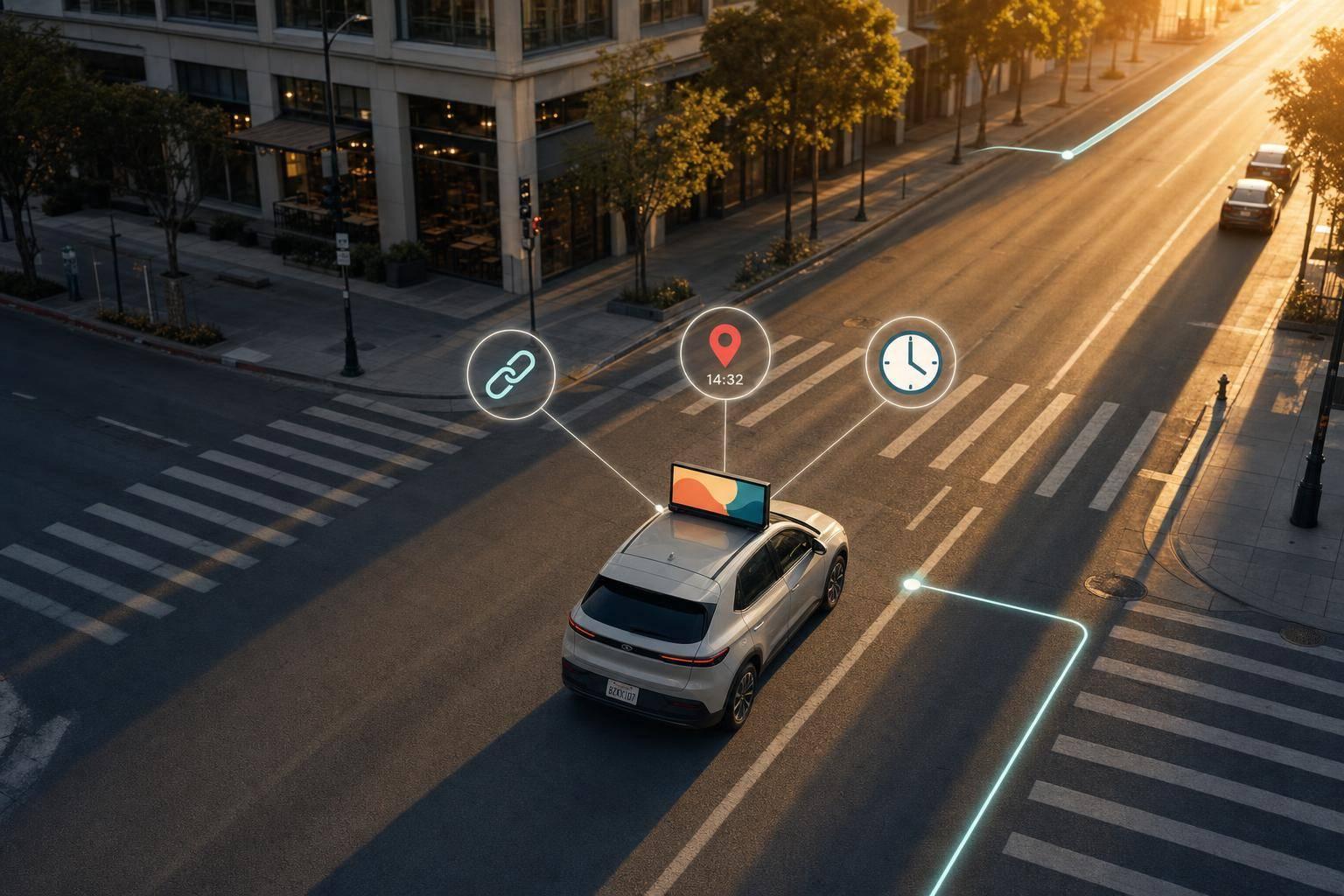
If I’m buying vehicle DOOH, I check three things first: DSP access, GPS proof-of-play, and device-level geo-time controls. If any one of those is weak, the buy can go off track fast.
Here’s the short version: vehicle DOOH is not like fixed screens. The inventory moves, supply can shift by route and hour, and measurement depends on GPS logs, device health, and modeled impressions. That means I need to review the supply path, deal type, ad specs, fraud checks, and reporting before I put budget behind it.
What I’d focus on right away:
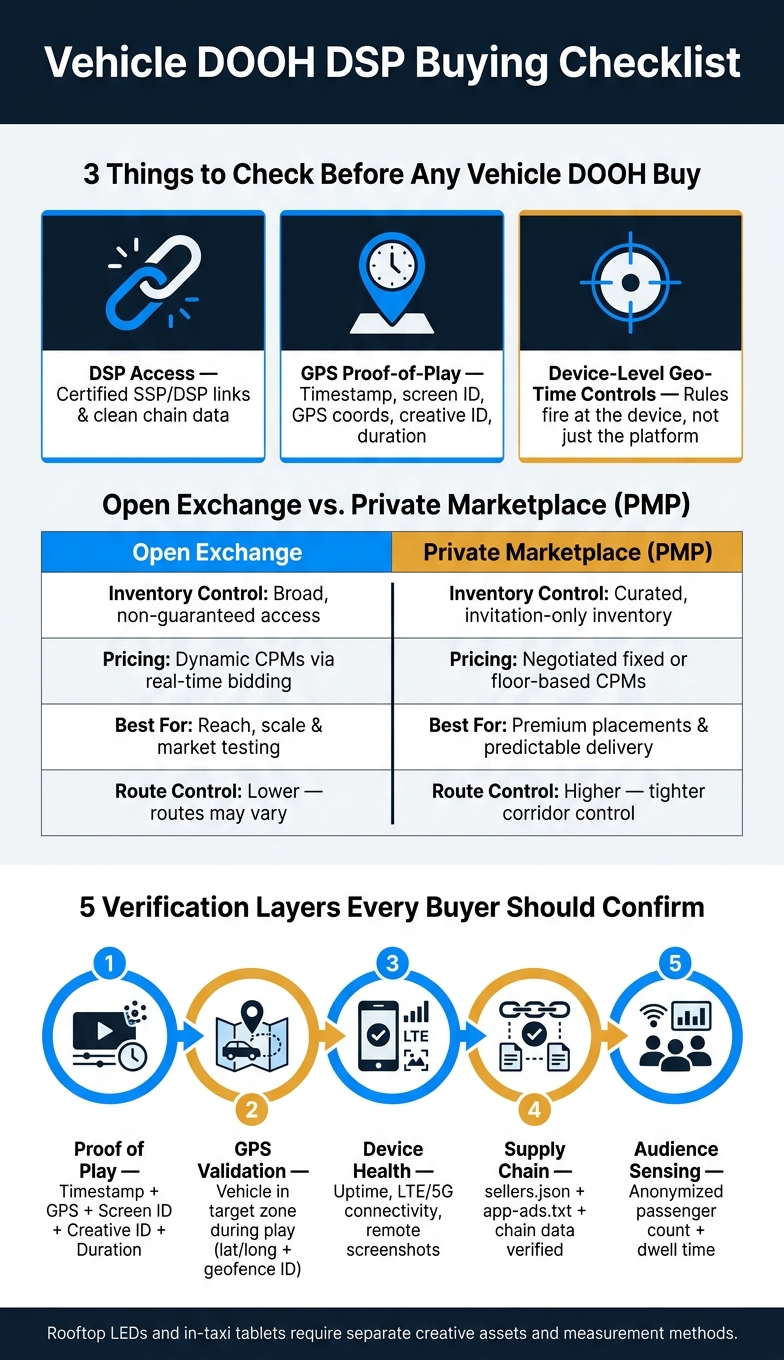
Vehicle DOOH DSP Buying Checklist: Open Exchange vs. PMP & Key Verification Layers
| Area | What I want to confirm | Why it matters |
|---|---|---|
| Supply access | Certified DSP/SSP links and clean chain data | Cuts bad paths and helps with verification |
| Buying method | Open exchange vs. PMP | Changes control, price, and predictability |
| Screen type | Rooftop vs. in-vehicle tablet | Each needs different ad treatment and measurement |
| Targeting | Geo-time rules at device level | Keeps delivery inside the zones and hours I paid for |
| Proof | GPS-stamped PoP logs | Shows where and when the ad ran |
| Measurement | Method for estimated impressions | Rooftop and in-car screens are counted differently |
| Device checks | Uptime, connectivity, screenshots | Helps catch offline or blank screens |
| Reports | Route, zone, and daypart detail | Tells me if delivery matched the plan |
A good partner should be able to show all of this in plain terms, with logs and reports I can review myself.
Once the supply chain is set, the next choice is simple: open exchange or PMP. That access path affects price, control, and how easily you can verify delivery. In most cases, buyers get vehicle DOOH through certified SSP-to-DSP integrations.
Open exchange buying gives you broad, non-guaranteed access to vehicle screen inventory through real-time bidding. It’s a fast way to launch across a metro area without working out terms in advance, and dynamic CPMs keep entry costs flexible. With moving inventory, route density matters just as much as metro reach.
The downside is lower control. Before you go live, make sure the inventory is clearly listed as vehicle-based, the network has enough fleet density in your target metro, and the SSP can provide GPS-tagged proof of play. A small test run first can save you a lot of trouble later.
PMP deals are invitation-only arrangements with negotiated terms that are typically used for curated, premium inventory. For vehicle screens, that extra control matters. Since routes can shift in ways you can’t fully predict, PMP deals help buyers hold tighter placement control in high-value corridors like airports and business districts.
| Feature | Open Exchange | Private Marketplace (PMP) |
|---|---|---|
| Inventory Control | Broad, non-guaranteed access | Curated, invitation-only inventory |
| Pricing Approach | Dynamic CPMs via real-time bidding | Negotiated, fixed or floor-based CPMs |
| Ideal Use Case | Reach, scale, and market testing | Premium placements and predictable campaign execution |
Use direct, auditable routes and check ads.txt and sellers.json to cut extra intermediary hops. For delivery checks, lean on real-time device monitoring, GPS-tagged playback verification reports, and impression methodology that accounts for multiple views per ride.
After supply-path validation, move to creative specs and targeting rules.
Treat rooftop LEDs and in-taxi tablets as separate placements. They don’t behave the same way, and the creative shouldn’t either.
Rooftop screens have to fight for attention against traffic, glare, and constant movement. That means the ad needs to read almost instantly. Bold, high-contrast creative that lands in the first second is a must. And once the supply path gets approved, these specs decide whether the campaign can run at all.
| Creative Parameter | Rooftop LED Screen | In-Taxi Tablet |
|---|---|---|
| Accepted file types | MP4, H.264, AVI, MOV, TS, JPG, BMP, JPEG, GIF | MP4, H.264, AVI, MOV, TS, JPG, BMP, JPEG, GIF |
| Standard ad length | Video: 20 sec / Static: 10 sec (industry standard) | Video: 20 sec / Static: 10 sec (industry standard) |
| Pixel Pitch / Resolution | P2.5–P5 pixel pitch (P2.5 recommended) | 1280 x 800 (typical for 10.1" displays) |
| Brightness | >4,000 nits for daylight visibility | ~350 cd/m² for interior comfort |
Roadside screens also deal with city-by-city rules around motion, brightness, and dwell time because of driver distraction concerns. Exterior screens can go as high as 5,500 nits, and auto-brightness hardware that shifts between daytime and nighttime use is strongly recommended.
Some ad categories need extra scrutiny. Alcohol, cannabis, gambling, and pharmaceutical campaigns can run into state and city limits, so check local rules before launch.
Use geofences, ZIP layers, and time windows to control delivery by corridor, route, or daypart. In plain English: a campaign can serve only when a vehicle enters a set zone, like an airport pickup area or a downtown business district, and only during chosen windows such as commute hours, weekdays, or weekends.
Platforms like Enroute View Media support geo-time targeted delivery with cloud-based screen management built for moving fleets, syncing creative updates to vehicle devices in near real time. That sounds good on paper, but here’s the part that matters: make sure the DSP applies those rules at the device level before you lock budget and flight dates.
Next, verify that delivery proof and reporting follow those same vehicle-level rules.
Buyers should run these checks before approving spend.
Delivery confirmation starts with proof-of-play (PoP) logs. This is the source record showing that an ad ran on a specific screen. A solid PoP entry includes five things: the exact timestamp, GPS coordinates at the time of play, the screen or device ID, the creative ID, and the ad duration. If even one of those is missing, you may know something played, but you can’t pin down exactly where or when it ran.
Impressions, on the other hand, are estimated, not directly counted. For rooftop screens, audience estimates usually combine real-time GPS tracking with traffic flow, mobile device behavior, and geolocation data. For in-taxi tablets, some platforms use camera-based passenger sensing to detect occupancy in real time, with support for anonymized age and gender signals. That’s why the measurement method matters. A rooftop screen and an in-taxi tablet don’t work the same way, so you need to confirm how each placement is measured before signing off on the media plan.
A simple way to think about it:
Once delivery checks out, the next step is making sure the inventory and device status were clean.
The main fraud risks here are pretty direct: misrepresented inventory, dark screens, and supply-chain mismatches between what was sold and what is actually running.
A few basic checks can cut down that risk.
First, confirm that the platform uses ignition-linked auto-start and shutdown. That way, screens run only when the vehicle is on, not while it’s sitting parked. Second, check that in-vehicle tablets use kiosk mode so passengers can’t tamper with the device in ways that interrupt or void ad plays. Third, ask for real-time status checks, alerts for offline devices, and periodic remote screenshots. Those checks help you spot dark or offline screens before they skew delivery reporting.
| Verification Layer | What It Checks | Key Data Points |
|---|---|---|
| Proof of Play | Ad executed on the hardware | Timestamp, duration, creative ID, screen ID |
| GPS Validation | Vehicle was in the target zone during play | Lat/long, geofence ID |
| Device Health | Screen was functional and visible | Uptime, LTE/5G connectivity, remote screenshots |
| Supply Chain | Path from DSP to screen is legitimate | seller.json, app-ads.txt, chain data |
| Audience Sensing | Passengers were actually present | Anonymized passenger count, dwell time |
Before launch, verify seller identity and chain data so you don’t end up buying mismatched inventory.
After that, reporting becomes the next reality check: did the campaign deliver where and when it was supposed to?
Campaign reports should include spend, CPM, plays, estimated impressions, route-level delivery, and time-of-day performance. They should also show which routes, zones, and dayparts produced delivery. If geofencing is part of the buy, the report should spell out which zones triggered delivery and how many plays happened inside each boundary.
Enroute View Media supports real-time analytics, GPS-based playback verification, and programmatic integration for vehicle fleets.
For post-campaign evaluation, use brand lift and visitation analysis tied to GPS route data. It’s smart to set attribution expectations before launch, especially since route-based media can show clear movement patterns but not every result ties back in a neat straight line.
Use these reporting standards to judge whether the DSP integration is operationally ready.
Once reporting and fraud checks pass, the next step is simple: can the team behind the system support your media buy from day one? That’s what this checklist is for. It helps you verify the integration before you spend money.
The minimum bar isn’t complicated: certified programmatic connections, dependable hardware, and reporting you can check for yourself. If a platform can’t name its certified DSP links, treat that as a red flag. Platforms worth a closer look should support certified integrations with major DSPs and SSPs such as Hivestack, Vistar Media, LMX, Place Exchange, and Adform.
| Evaluation Criteria | What to Ask |
|---|---|
| DSP/SSP Connectivity | Which DSPs are natively integrated? Can you show certified connection documentation? |
| Geo-Time Controls | Can the partner prove device-level enforcement with zone and time logs? |
| Proof-of-Play Logs | Can the partner export GPS-stamped PoP logs with timestamps, screen IDs, creative IDs, and duration? |
| Hardware Specs | Are rooftop screens rated above 4,000 nits, built for mobile environments, and does the system auto-shutdown when vehicle battery drops below 12 volts? |
| Creative Compliance | Does the CMS block disallowed categories and validate creative before launch? |
| Audience Sensing | Is camera-based passenger detection anonymized and privacy-compliant? |
| Device Monitoring | Can I see live screenshots and uptime for any screen now? |
This table gets to the heart of it. You’re not looking for polished sales talk. You’re looking for proof. If a partner says they support geo-time controls, they should be able to show the logs. If they promise proof-of-play, they should be able to export it without a lot of hand-waving.
After the technical review, the next move is to match the platform to how your team actually works. Technical capability is required. Workflow fit is what decides whether the integration will scale cleanly.
Agencies usually need white-label portals, custom domains, and branded email. Brands tend to want real-time dashboards, log-level exports, and route-level attribution support. Fleet operators, on the other hand, need multi-vehicle uptime tracking and hardware maintenance services tied to moving inventory.
Enroute View Media offers a cloud-based white-label platform that supports rooftop LED screens and in-taxi tablets, with programmatic integrations and real-time analytics built in. That kind of setup matters because it lets buyers, operators, and clients work from the same system instead of piecing things together across tools.
A partner is only usable if it can prove certified DSP/SSP access, compliant vehicle-level delivery, and reporting you can verify against GPS-stamped route data. Everything else comes after that.
If a partner can’t show live device status or can’t give you clear reporting before you sign, walk away.
Check that the link comes from certified integration partners and runs through secure, established programmatic networks.
You should also look for clear, live reporting. That includes GPS-verified playback logs, impression counts, strong brand safety controls, and privacy-first data practices.
Choose the open exchange when your goal is scale and reach, not the tighter access that comes with a Private Marketplace (PMP). It gives programmatic partners access to a broad range of inventory, which can help maximize campaign visibility across your vehicle fleet.
Choose a PMP when you need guaranteed inventory, specific audience segments, or negotiated terms for premium placement. Enroute View Media supports both options through its programmatic integrations.
Ask for proof that shows when, where, and how often your vehicle DOOH ad ran.
The report should include:
If you're using Enroute View Media, you can get these granular, exportable reports through a secure white-label portal or API. That gives you a clear record of delivery, with the level of transparency and accountability buyers expect.
Need pricing details?
EnrouteViewMedia is a Canadian technology company based in Edmonton, Alberta, Canada. The company was founded by a group of media entrepreneurs and engineering executives. Our mission is developing leading-edge digital media display technologies for taxicab rooftops and taxicab interiors advertising market. Through our easy to use ad delivery and management system, we assist our clients in reaching their customers with targeted exposure. EnRouteViewMedia continuously strives to be the global leader in digital geo-time targeted advertising media systems for modern taxi fleets.