
Set geo-time rules, map zones, and verify playback logs to ensure DOOH ads run at the right place and time.
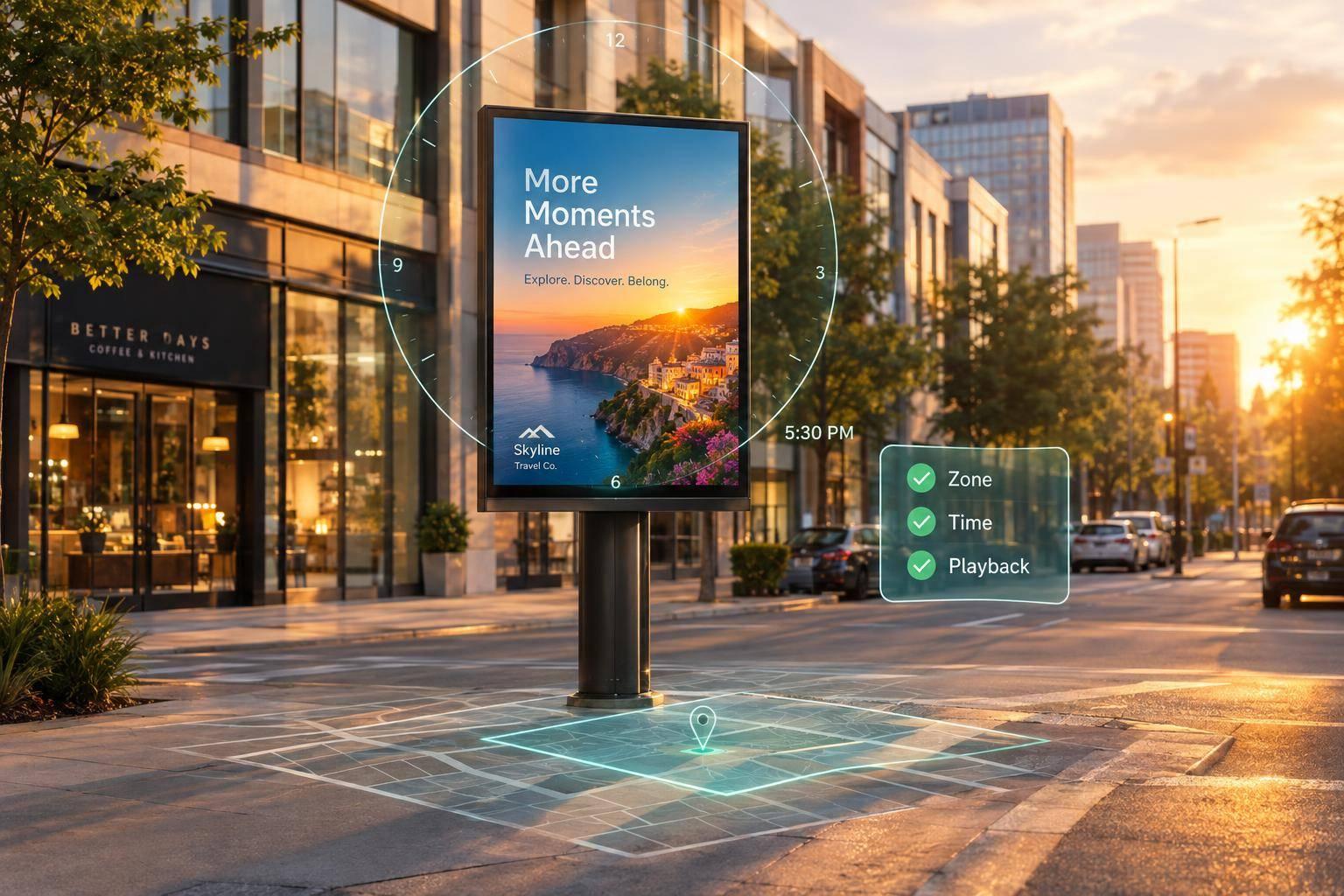
I use programmatic DOOH sync to match vehicle ads to location, local time, and available screen slots - not to make every vehicle play an ad at once. For example, I can set a campaign to run within 1 mile of a restaurant from 11:00 a.m. to 2:00 p.m., then check playback logs to confirm delivery.
Before launch, I focus on four checks:
My rule: <u>a booked slot is not a confirmed play</u>. I test one market first, check where and when ads played, and use those results before expanding.
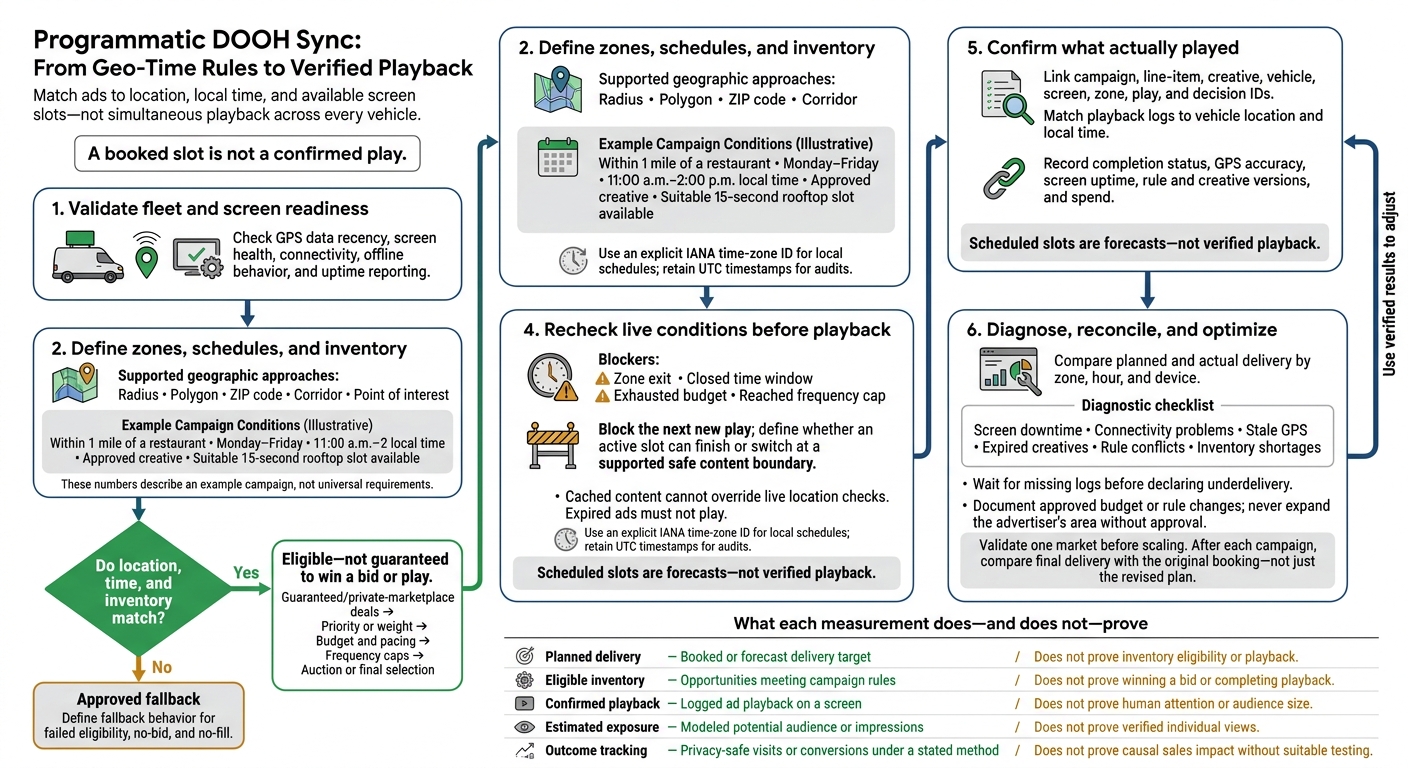
Programmatic DOOH Sync: From Geo-Time Rules to Verified Playback
Once vehicle data is validated, turn it into explicit delivery rules.
Eligibility is binary: if location, time, and inventory match, the ad qualifies. If not, route to an approved fallback. Qualifying does not guarantee a bid or playback. Before launch, define fallback behavior for no-bid, no-fill, and failed eligibility.
Define the location as a city, ZIP code, radius, road corridor, polygon, or destination zone. Set local flight dates, weekdays, dayparts, and blackout periods. Require the right screen format, creative dimensions, slot length, available capacity, and vehicle operating status.
For a restaurant campaign, require the vehicle to be within 1 mile, Monday–Friday, 11:00 a.m.–2:00 p.m. local time, with an approved creative and a suitable 15-second rooftop slot available.
Next, set the order the system uses to choose among qualifying campaigns.
Document the selection order: guaranteed/private-marketplace deals first, then priority or weight, budget and pacing, frequency caps, and finally auction or final selection. Specify whether frequency caps apply per screen or per vehicle.
Where supported, recheck eligibility immediately before playback. A zone exit, closed time window, exhausted budget, or reached cap must block the next new play. Run these checks at the next validated decision point.
If a slot is already playing, specify whether it can finish. Otherwise, switch at a supported safe content boundary. Move to the next eligible campaign, approved house content, or default creative, and log the reason.
Then lock the timing rules so these decisions stay aligned with local time and live data.
Evaluate schedules in market-local time using an explicit IANA time-zone ID. Keep UTC timestamps for audits. Test both the spring-forward gap and the fall-back repeat hour. Document GPS boundary tolerance without expanding the approved geography.
For example, require two consecutive inside-zone samples.
Set maximum ages for GPS samples, bid requests/responses, eligibility decisions, playback confirmations, and cached content.
A 60-second GPS limit is a configurable starting point, not a universal standard.
Deduplicate events using event IDs, vehicle IDs, timestamps, and sequence numbers. Cached content cannot override live location checks, and expired ads must not play.
Add dynamic triggers only after defining the time and location checks. Traffic, weather, event, and product-availability triggers need reliable, geo-matched feeds and supported integrations. Before activation, define each threshold, feed update interval, and outage response. If a feed becomes stale, stop relying on that condition. Use approved non-dynamic content that still meets the location, time, and inventory rules.
Use these zones to define where ads can run as part of geo-time eligibility.
Map customer demand and fleet coverage first. Plot customer locations, business districts, retail and restaurant clusters, airports, transit approaches, event venues, and highway access points. For each zone, record business hours, expected vehicle availability, screen type, access restrictions, and local advertising rules.
| Method | Geographic definition | Best use | Delivery risk | Recommended trigger logic |
|---|---|---|---|---|
| Radius | Distance from a coordinate | One store or venue | Boundary drift | Within radius using a documented boundary tolerance |
| Polygon | Custom mapped boundary | District or neighborhood | Mapping errors | Inside a validated polygon |
| ZIP code | Selected postal-area representation | Broad local coverage | Boundary-source differences and uneven relevance | Inside the documented ZIP-area dataset |
| Corridor | Buffered route geometry | Commuter roads or approaches | Brief zone dwell time | Inside the route buffer; check direction if available |
| Point of interest | Proximity zone around a destination | Nearby stores or services | Inaccurate destination coordinates | Within a verified proximity zone |
Record each boundary’s source, version, and buffer use. Verify destination coordinates, test representative routes, and resolve overlaps before launch. Request matched zone IDs in decision logs.
With zones mapped, allocate spend based on when vehicles actually pass through them.
Budget for eligible inventory - not congestion alone. Compare historical fleet GPS traces, hourly active vehicles, route coverage, and screen availability across morning commutes, midday travel, afternoon commutes, evenings, weekends, and events.
Traffic counts don’t equal screen exposure. Treat rooftop visibility and in-taxi passenger exposure separately, with different ad content, frequency limits, and budgets.
Set dayparts using local travel patterns, not a national rush-hour template. Check travel direction, business hours, passenger context, and event schedules before assigning spend. After launch, compare projected opportunities with verified delivery. Shift budget toward useful, available inventory - not just the slowest roads.
For Enroute View Media, confirm fleet coverage and screen types before finalizing spend.
Keep flight dates, dayparts, closures, event windows, and live-trigger windows in separate schedule fields. Within each zone, align workday messages with business districts and evening messages with shopping corridors. End offers early enough for customers to arrive before closing.
Use each location’s actual hours, last-order or appointment cutoff, and holiday schedule - not a chainwide assumption. Record dates as MM/DD/YYYY, times as AM/PM, and time zones as America/New_York.
Feed these schedule fields into playback reporting to compare planned timing with delivered timing.
Use the same IDs and schedule fields to compare planned delivery with actual playback.
Connect campaign, line-item, creative, vehicle, screen, zone, play, and decision IDs to match where and when delivery happened. Record rule and creative versions, vehicle location, GPS accuracy, screen uptime, completion status, and spend in U.S. dollars. Store timestamps in UTC, then report local hours using each market’s time zone. Scheduled slots are forecasts - not verified playback. Use logs to confirm delivery.
Report plays by zone and local hour. Use these definitions: completion rate = completed ÷ started plays; uptime = operational ÷ scheduled minutes; pacing = delivered spend or plays ÷ plan-to-date; and frequency = estimated exposures per modeled person. Calculate CPM as spend ÷ the stated denominator × 1,000.
Keep confirmed plays separate from modeled impressions and audience estimates. Vehicle movement changes opportunities for exposure, not just delivery volume. Include visits or conversions only when you document a privacy-safe method, attribution window, and limitations. Don’t present them as proof that the campaign caused sales.
Once reporting is live, compare planned and actual delivery by zone, hour, and device. Diagnose the issue before moving money. Check planned versus delivered plays by daypart, vehicle, screen, and creative.
Look for screen downtime, connectivity problems, stale GPS data, expired creatives, rule conflicts, and inventory shortages. Wait for missing logs before declaring underdelivery. Document every approved budget or rule change, and never expand the advertiser’s area without approval. Rotate creatives or tighten frequency caps.
| Measurement layer | What it records | Does not prove |
|---|---|---|
| Planned delivery | Booked or forecast delivery target | Inventory eligibility or playback |
| Eligible inventory | Opportunities meeting campaign rules | Winning a bid or completing playback |
| Confirmed playback | Logged ad playback on a screen | Human attention or audience size |
| Estimated exposure | Modeled potential audience or impressions | Verified individual views |
| Outcome tracking | Privacy-safe visits or conversions under a stated method | Causal sales impact without suitable testing |
Accurate IDs, local-time reporting, boundary checks, rule precedence, and proof-of-play logs let you audit delivery.
For an Enroute View Media launch, validate one market before scaling:
After each campaign, compare final delivery with the original booking - not just the revised plan. Keep approved substitutions and adjustments visible, reconcile late logs, and report modeled exposure and business outcomes separately from confirmed plays.
Modern systems can target locations with accuracy of less than 3.3 feet. But your geofence needs to be large enough for a vehicle to remain inside for at least 15 seconds. That gives the display time to complete a full refresh cycle and show the intended ad.
For initial test campaigns, a radius of about 984–1,640 feet is often recommended to balance precision with audience reach.
Start by setting aside 10% to 20% of your total inventory to test and fine-tune bidding. For the first three months, track fill rates, CPM trends, and content approval times to set benchmarks.
Expect a gradual ramp-up. New networks often begin with 20% to 30% fill rates. Use your CMS priorities and pacing rules to protect premium zones and balance delivery across routes.
If your ad starts just before a vehicle leaves your defined zone, it keeps playing as scheduled. The system checks GPS coordinates every 15 seconds to detect when the vehicle enters or exits the zone.
Once the system detects that the vehicle has fully left the zone, it automatically switches to the standard ad rotation or the next scheduled campaign. No manual changes are needed.
Need pricing details?
EnrouteViewMedia is a Canadian technology company based in Edmonton, Alberta, Canada. The company was founded by a group of media entrepreneurs and engineering executives. Our mission is developing leading-edge digital media display technologies for taxicab rooftops and taxicab interiors advertising market. Through our easy to use ad delivery and management system, we assist our clients in reaching their customers with targeted exposure. EnRouteViewMedia continuously strives to be the global leader in digital geo-time targeted advertising media systems for modern taxi fleets.