
Choose the largest taxi-top LED your vehicle, power, and local rules allow—covering roof fit, pixel pitch, power, durability, and revenue.
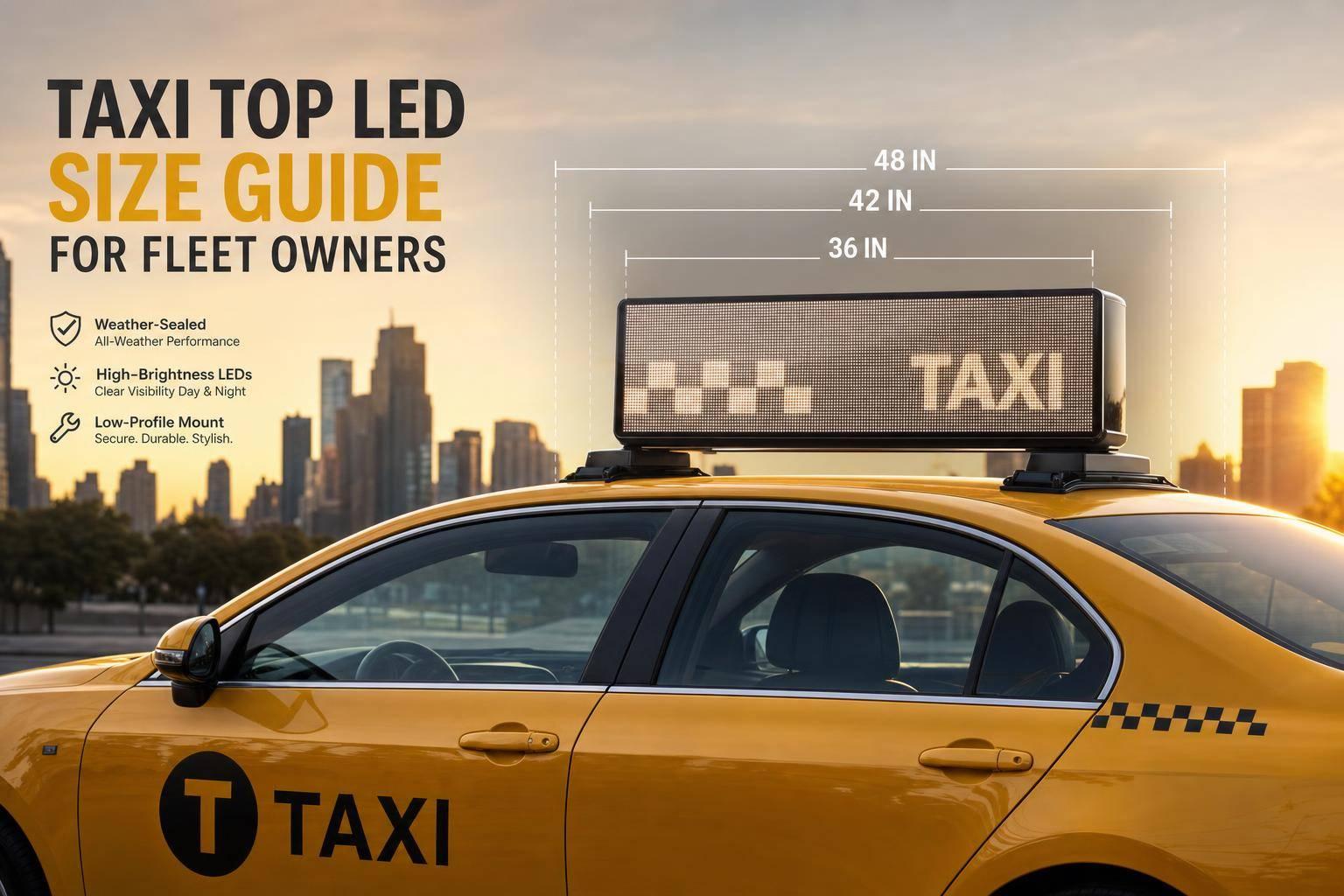
If I had to boil this down to one rule, it’s this: pick the largest taxi top LED your vehicle, power system, and local rules can handle. That choice affects fit on the roof, battery load, street visibility, and ad income all at once.
For a U.S. fleet, I’d make the decision in this order:
A few numbers matter right away. Most taxi top LEDs run on 12V DC and accept 9V–16V input. For EV fleets, the 12V battery should supply at least 10 amps on a steady basis. Outdoor brightness should be over 4,000 nits, and many units go up to 5,500 nits. New ad networks often start around 20%–30% fill rates in the first few months.
If I were screening options fast, I’d focus on four checks first:
The article then walks through those checks in plain order so a fleet owner can move from roof measurement to buying decision without missing cost, safety, or compliance issues.
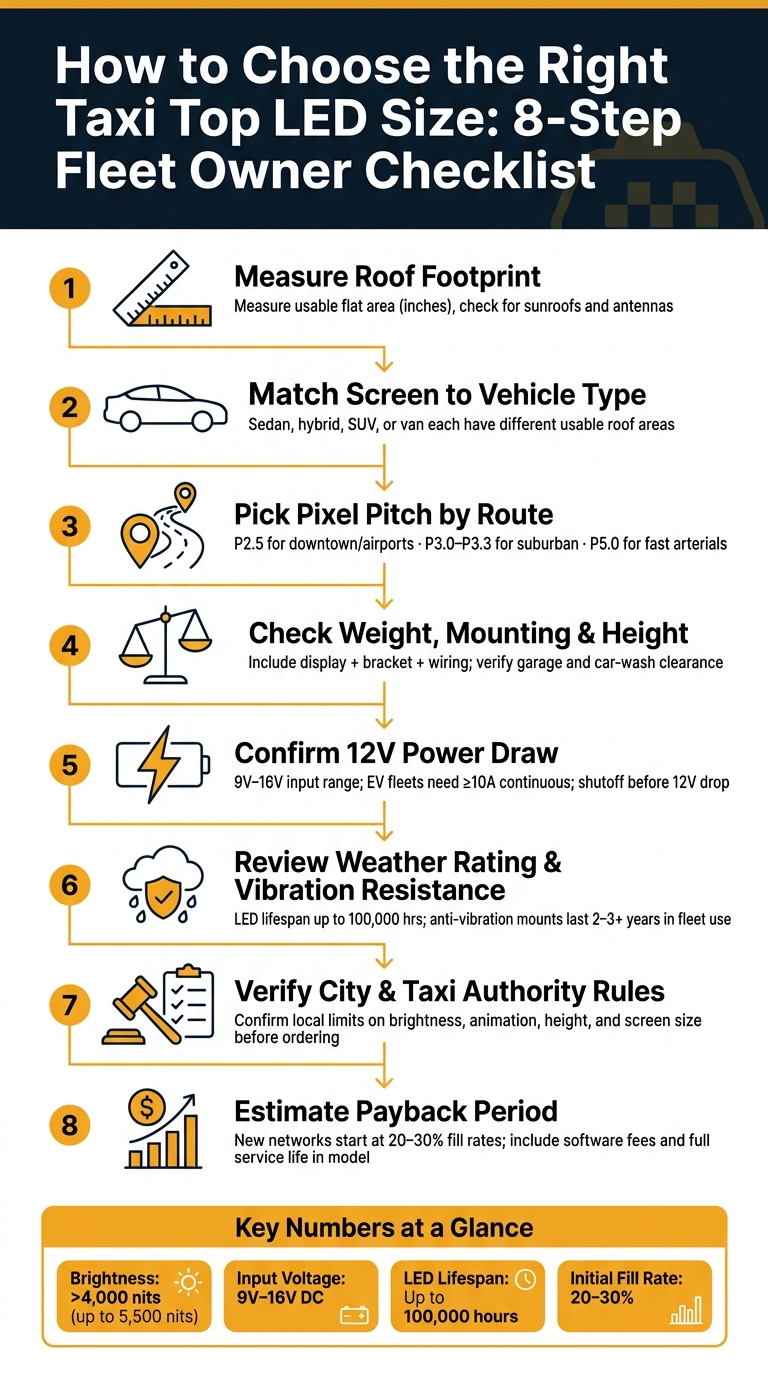
Taxi Top LED Size Selection: 8-Step Decision Guide for Fleet Owners
Start with the roof footprint. Measure the usable flat area in inches from front to back and side to side. Also check for sunroofs and antennas before you pick a display size.
A roof rack mount is often the simple choice. It avoids permanent changes to the vehicle and keeps the unit removable if it leaves the fleet.
That roof footprint sets your size limit. Then your route distance helps you pick the right pitch.
Pixel pitch should match how far people are from the vehicle and how fast traffic moves. Put simply: the farther the viewing distance and the faster the route, the larger the pitch can be. The table below gives quick route matches by pitch.
| Pixel Pitch | Closest Viewing Distance | Optimal Viewing Distance | Best Route Match |
|---|---|---|---|
| P2.5 | ~8 ft (2.5 m) | ~21 ft (6.25 m) | Downtown, airport queues |
| P3.0 | ~10 ft (3.0 m) | ~25 ft (7.5 m) | Mixed urban/suburban |
| P3.3 | ~11 ft (3.3 m) | ~27 ft (8.25 m) | Suburban corridors |
| P5.0 | ~16 ft (5.0 m) | ~41 ft (12.5 m) | Faster arterial routes |
Once you’ve set the size and pitch, check the mount, unit weight, power draw, and weather rating before you buy.
Start with the roof itself. Measure each vehicle’s roof footprint, then pick either a removable roof rack or a bolted attachment based on how permanent you want the setup to be.
From there, check the small things that can turn into big headaches later. Make sure there’s enough space around antennas and sunroofs, and confirm the display won’t get in the way of door clearance. You’ll also want to verify total installed height for garages, car washes, and low overhangs your fleet passes under on route.
Hardwired installs usually add $50–$200 per vehicle. Plug-and-play units can trim labor, but they tend to give you fewer power-management features.
Once the mount works on the roof, the next step is making sure the vehicle can handle the full load and power draw.
Add up the display weight, bracket weight, and wiring harness weight. Then compare that total installed load against the vehicle’s roof load limit. Don’t ignore wind load at speed either. A setup that looks fine while parked can put a lot more stress on the roof once the car is moving.
After the physical fit checks out, look at the electrical side. Most taxi top LEDs run on 12V DC and accept a 9V–16V input range. For EV fleets, make sure the 12V battery can supply at least 10 amps continuously.
A couple of power controls matter here:
That setup is simple, but it can save you from dead-battery calls and avoidable downtime.
Weather and road vibration wear these units down fast, so this part matters. Check that the operating temperature range fits your climate. Then look for a weatherproof, vibration-resistant housing, module-replaceable on-site parts, and anti-vibration hardware.
There’s a clear lifespan gap between parts built for fleet use and parts that only look good on paper. LED units can run for up to 100,000 hours before dropping to half brightness, and hardware with anti-vibration mounts usually lasts 2–3+ years in daily fleet conditions.
On-site module replacement helps in a very practical way: you can keep the vehicle in service instead of pulling the whole display for repair. For a fleet, that directly protects uptime.
With fit, load, power, and durability checked, the next step is local rules and ad-facing specs.
After you confirm fit, load, and power, local rules are what decide the screen size and setup you can legally sell.
Compliance decides whether the unit can be installed at all. Approval rules for illuminated roof signs and digital displays vary a lot across U.S. jurisdictions, including city taxi authorities and state transportation departments. Before ordering a unit, contact your local taxi authority or municipal transportation department and ask about limits for brightness, animation, and size. Rules on brightness, animation, and height can put a hard ceiling on the size you pick.
If you plan to use audience-sensing cameras, post a privacy notice. Also avoid storing identifiable data or using footage of minors.
Once the unit is legal, the next thing that shapes pricing and campaign results is the hardware itself.
Once legal limits are clear, hardware specs drive ad value. These are the specs that most affect buyer appeal and what you can charge.
| Specification | Standard / Range | Why It Matters for Ad Sales |
|---|---|---|
| Pixel Pitch | P2.5–P5 (P2.5 recommended) | P2.5 supports sharper close-range ad creative and higher perceived quality |
| Brightness | Up to 5,500 nits | Anything below 4,000 nits risks washout in direct sunlight |
| Refresh Rate | 1,920Hz–3,840Hz | Higher refresh rates reduce banding in photos |
| Dual-Sided Display | Standard on most units | Shows ads to traffic on both sides of the street |
| GPS/LTE Connectivity | 4G/5G LTE with GPS | Supports geofenced playback and proof-of-play reporting |
| Ad Rotation Duration | 10s static / 20s video | Use 20-second video loops and 10-second static slots to match common distraction rules |
Pixel pitch has the biggest effect on pricing. P2.5 gives you sharper close-range visuals, which can support higher rates. A P5 screen is easier to read from farther away, but it gives up clarity when people are closer to the car.
Brightness and refresh rate matter just as much when buyers judge screen quality. If the display fades at noon or shows banding in street photos, it becomes a tougher sell. Hardware rated above 5,000 nits with at least a 1,920Hz refresh rate helps keep the inventory appealing to advertisers.
"For taxi top screens which are displaying outdoors in direct or indirect sunlight, >4000 nits is recommended." - enRoute View Media
GPS and LTE connectivity are what make geo-time targeted advertising work. Enroute View Media uses real-time GPS data to support location-specific ads and reporting. That gives you a simple pricing lever: airports and business districts can command higher rates.
Once fit, power, and compliance are sorted out, the next thing to ask is simple: will the screen pay for itself?
Bigger screens can sell more visible ad slots on busy routes, but that only matters if the vehicle can actually support the setup. Use your slot length and fill rate to estimate total inventory, route value, and payback time. New networks usually begin with fill rates around 20% to 30% in the first few months before direct sales and programmatic demand catch up.
When you run the numbers, include software fees in the payback model. Also use the screen's expected service life, not just early revenue, so the math reflects how the unit should perform over time.
After the revenue model looks solid, keep the fleet setup as simple as you can. Mixed screen sizes across vehicles sound flexible on paper, but they usually mean more spare parts, more install time, and more repair work.
A cleaner approach is to standardize across the fleet:
On the software side, one cloud-based platform makes day-to-day management much easier. You can push content updates, schedule ads, and monitor devices from a single dashboard. Enroute View Media provides rooftop LED screens and a cloud-based ad and screen management platform with geo-time targeting, real-time analytics, and programmatic ad integration for taxi and rideshare fleets.
Connecting to programmatic demand through SSP/DSP integrations can also help fill unsold inventory on its own.
When revenue planning and fleet operations line up, the buying rule is pretty straightforward: install the largest screen the vehicle, power system, and local rules can support.
Start by measuring the usable roof footprint. Then make sure the mounting points can handle the load. Check that the vehicle's electrical system can support the power draw without affecting critical systems. Confirm the IP rating fits your climate. After that, verify what your city or taxi authority allows before placing an order.
Start with pixel pitch and brightness. Those two specs do most of the heavy lifting.
For taxi tops that run outdoors in direct or indirect sunlight, look for more than 4,000 nits. If the screen isn’t bright enough, the ad can wash out fast once the sun hits it.
For pixel pitch, a tighter pitch under 3 mm looks smoother when people are close to the display. A 3–6 mm pitch tends to work better when the main viewing distance is farther away. P2.5 is a common pick across many vehicle models, but the right fit still comes down to brightness and how far away people will usually see the screen from.
A taxi top LED display draws power straight from the vehicle battery. In most cases, it uses about 18 watts at 12 volts and 1,500 mA.
To help prevent battery drain, an intelligent power monitor turns the screen off when the vehicle isn’t running or when voltage falls below 12 volts. It also works with electric vehicles, although it adds to the vehicle’s total power use.
Before you buy taxi top LED hardware, check your local city and state rules for mobile digital out-of-home advertising.
Look at limits on brightness, mounting rules, driver sightlines, vehicle weight, and overall safety. You’ll also want to confirm that the hardware works with your content management system, such as the DigiStream View platform, so setup, playback, and compliance don’t turn into a headache.
Need pricing details?
EnrouteViewMedia is a Canadian technology company based in Edmonton, Alberta, Canada. The company was founded by a group of media entrepreneurs and engineering executives. Our mission is developing leading-edge digital media display technologies for taxicab rooftops and taxicab interiors advertising market. Through our easy to use ad delivery and management system, we assist our clients in reaching their customers with targeted exposure. EnRouteViewMedia continuously strives to be the global leader in digital geo-time targeted advertising media systems for modern taxi fleets.