
Apply geo-time rules, route and playback validation plus billing controls to reduce wasted vehicle-screen ads.
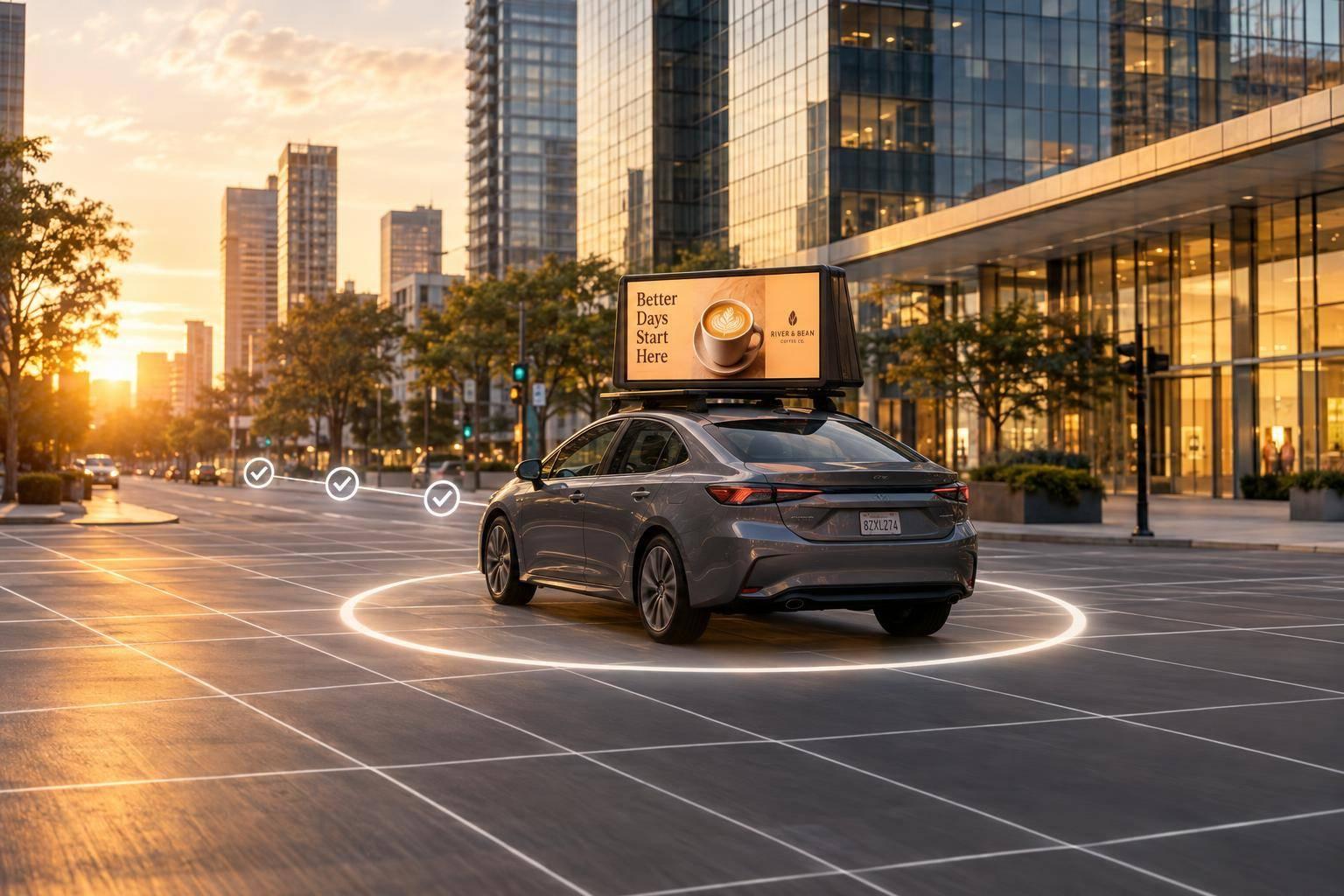
Programmatic DOOH can cut wasted taxi and rideshare ad delivery by setting rules for where, when, and how ads play. For example, a restaurant could limit ads to a 2-mile service area from 11:00 AM to 2:00 PM local time. Here, mobile ads means vehicle screens - not smartphones.
Reducing waste takes more than targeting:
These controls cannot remove all waste. Location delays, vehicle movement, and audience estimates still leave room for error.

Programmatic DOOH: Six Controls to Reduce Ad Waste
Set location and time rules before launch to block low-value impressions.
Start with the advertiser’s service area and business hours. Check which location rules the platform supports: city, ZIP code, neighborhood, polygon, point of interest, or radius. Choose polygons when roads, water, or other boundaries make a radius inaccurate. Point-of-interest rules let you target office districts, stadiums, transit hubs, or shopping centers.
For a restaurant campaign, set a 2-mile service area and an 11:00 AM–2:00 PM local-time lunch window. Exclude nearby areas that are inaccessible because of highways, rivers, restricted roads, or poor delivery coverage. This prevents out-of-area delivery while limiting eligibility to lunch hours. Compare eligible opportunities, plays, audience, and spend by location before keeping the restriction.
Before launch, set a maximum age for location data. GPS errors and delayed updates can show a vehicle inside a boundary after it has left. That can make it eligible for ads it shouldn't play, wasting impressions.
If location data gets too old, pause the geo-restricted campaign or switch to an approved fallback. Test recorded coordinates on both sides of the boundary. Location and time rules determine eligibility; route and playback checks then determine whether those eligible plays are valid.
Tie each ad window to an offer customers can use at that time. This helps avoid paying for plays outside periods of demand:
Coffee for commutes, lunch for service hours, retail for shopping hours, and entertainment for evenings.
Schedule weekdays and weekends separately. For events, include arrival and departure periods - not just the start time. Run multi-state campaigns on local time rather than fixed UTC offsets, and record both local and UTC timestamps for audits.
Before launch, forecast delivery with every active rule in place. Compare service-area inventory with what remains after daypart and screen restrictions. Each rule reduces eligibility, so tighter targeting helps only if enough inventory remains to deliver the campaign.
Check pacing daily during the initial flight. If delivery falls behind, check location feeds, creative status, bids, and playback first. Then loosen one lower-priority restriction at a time and forecast again, without breaking service coverage or compliance requirements.
Keep only restrictions tied to a measurable goal, such as fewer out-of-area deliveries or a lower cost per store visit. If delivery still lags, adjust bids, budgets, or creative.
After applying geo-time controls, check that the vehicle actually drove the approved path. Target vehicle movement along approved roads, commuter corridors, neighborhoods, event zones, or destinations. Use current location to confirm eligibility. Predicted routes are for planning only. Route mismatches send delivery outside the intended audience area.
Specify road segments, direction when supported, and whether the campaign covers rooftop screens or in-taxi tablets. Once the route qualifies, check the playback itself.
For reconciliation, require screen ID, vehicle or inventory ID, ad asset ID, timestamp with time zone, playback duration, campaign ID, location where available, and playback status.
Set ad asset specs before launch: file type, resolution, aspect ratio, size, audio, frame rate, duration, orientation, brightness, and fallback asset. Define when a play counts: after full rendering, a minimum duration, or a specified share of playback. Proof of play confirms delivery, not attention.
| Control | What to check | Waste addressed and treatment |
|---|---|---|
| Route eligibility | Current vehicle location matches the approved corridor | Block out-of-corridor plays where possible; otherwise, flag them for reconciliation. |
| Geo-time validation | Location timestamp age, clock accuracy, daypart, date range, and time zone | Exclude stale-location, clock-error, and out-of-window events from billable delivery. |
| Screen and format validation | Screen is active and correctly configured; approved asset renders for the required duration | Block known hardware or format failures; do not bill failed or unconfirmed plays. |
| Duplicate and invalid-event filtering | Event IDs, screen IDs, timestamps, durations, and location records are plausible and consistent | Remove duplicate retries and invalid events from billable delivery; retain raw records for audit. |
| Frequency and pacing controls | Repeat plays and pacing stay within screen, vehicle, route, or time-period limits | Reduce excessive repetition; report these limits separately from person-level frequency. |
Keep raw events, rejected events, accepted plays, and billable plays separate. The agreement should distinguish failures blocked before delivery from exclusions found during reconciliation. It should also define make-goods for rejected delivery. Request sample logs before accepting an invoice.
After filtering delivery events, separate what played from what was estimated to have been seen.
Report four distinct layers:
Audience models may use traffic, speed, dwell time, screen orientation, and aggregated location signals. Rooftop estimates need outward-facing visibility inputs. In-taxi estimates depend on passenger-presence assumptions. Neither a play nor nearby-device data proves attention.
Ask for the methodology, model type, data sources, precision, data age, modeling period, and deduplication rules. Use aggregated or de-identified data, and keep driver or passenger traces out of reports.
Set review rules before launch. Check pacing daily and performance weekly. Move spend only after a corridor, vehicle, or route meets a defined minimum of compliant impressions or hours. Shift budget away from wasted delivery and toward corridors that meet those thresholds; pause weak zones. Adjust bids only where supported. For traffic, weather, and event triggers, require verified feeds, activation windows, and fallback rules.
Make one controlled change at a time. Log who owns the change, why it was made, the old and new settings, and the expected effect. Give each ad version a start and end date, and keep a fallback ready. Check campaign-date changes against inventory, pacing, and billing terms.
Record both the requested update time and the observed playback time. Allow a short stabilization period after major changes. Then compare compliant delivery with the baseline before changing another variable.
Use the same baseline and reporting window for every optimization cycle. Keep measurement definitions consistent, and compare similar days and hours. Report geographic compliance, time compliance, and the share of plays that meet both rules. Track route eligibility, invalid-event rate, and pacing. Document time zones, late-event rules, and model assumptions.
Cost per compliant estimated impression = (media cost + platform, data, and verification costs) ÷ compliant estimated impressions.
Report technology fees, data fees, verification costs, invalid-event deductions, and any make-good value. Keep provider-reported playback separate from modeled audience estimates.
Compare CPM alongside compliance rate, invalid-event rate, reach, frequency, and business outcomes. CPM alone does not show less waste. To measure sales or store visits, use a geographic or temporal holdout test, matched-market design, pre/post analysis with controls, or another documented incrementality method. Compare matched areas that received the campaign with similar areas that did not, controlling for promotions, seasonality, weather, and events.
Enroute View Media can manage rooftop LED screens and in-taxi touch-screen tablets with geo-time targeting, real-time analytics, and programmatic ad integration. Before using its data for compliance or cost reporting, confirm supported integrations, reporting fields, update delays, fees, and billing rules.
Define valid delivery before you buy. Apply supported geo-time rules, dayparting, route filtering, and event validation. Track delivery compliance, cost per valid impression, and incremental visits, sales, or registrations as separate measures.
Use this checklist to cut invalid delivery before launch and during optimization. Review controls in this order: planning, inventory, validation, billing, reporting, then action thresholds.
Set your geofence large enough to keep a vehicle inside it for at least one GPS update cycle. Enroute View Media’s systems update GPS coordinates every 15 seconds. If the zone is too small, triggers may be missed and ads may not display consistently.
Even with sub-meter GPS precision, you still need to account for vehicle speed and update frequency so ads display reliably within the target area.
Use the platform’s verified playback records, the official proof of execution, to check delivery logs against your invoice. Enroute View Media’s reports include timestamps, GPS coordinates, ad duration, and verified impression counts for each ad play.
Access and export the reports through your advertiser portal or API. Then compare them with your billing statement to spot discrepancies in specific zones and time slots.
Run a pilot in one or two test markets before scaling. For the first three months, track fill rates, CPM trends, and content approval times to set benchmarks. Then shift your focus to long-term ROI.
You don’t have to wait three months to adjust. Use real-time analytics throughout the campaign to fine-tune geofences, ad assets, and targeting based on live performance.
Need pricing details?
EnrouteViewMedia is a Canadian technology company based in Edmonton, Alberta, Canada. The company was founded by a group of media entrepreneurs and engineering executives. Our mission is developing leading-edge digital media display technologies for taxicab rooftops and taxicab interiors advertising market. Through our easy to use ad delivery and management system, we assist our clients in reaching their customers with targeted exposure. EnRouteViewMedia continuously strives to be the global leader in digital geo-time targeted advertising media systems for modern taxi fleets.