
Use rooftop screens for reach and in-vehicle displays for action: two distinct media tools with different KPIs, targeting, and compliance.
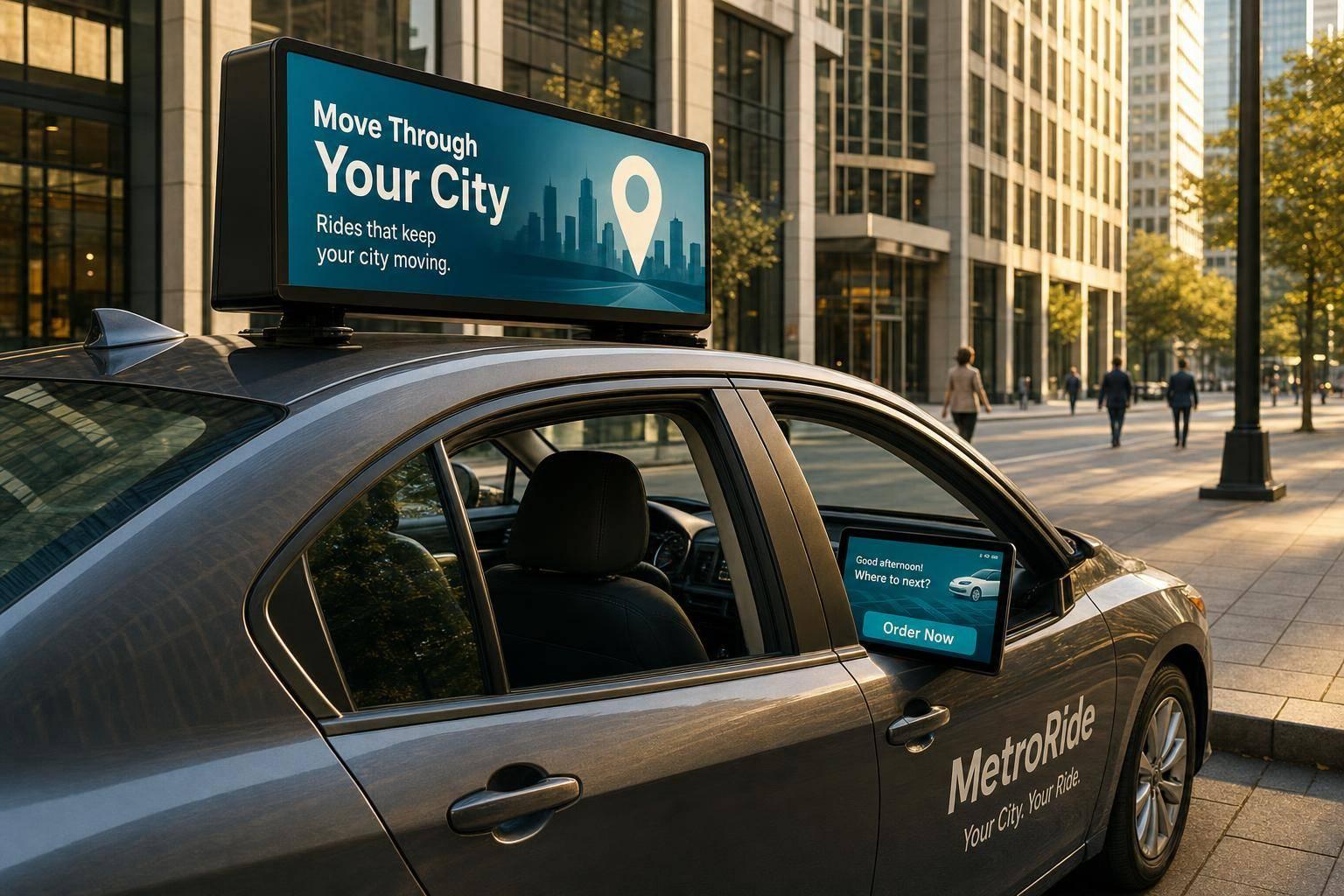
If you want reach, use rooftop screens. If you want action, use in-vehicle displays.
That’s the short answer. In-vehicle screens face riders and usually get 10 to 30 minutes of viewing time, which makes them a fit for QR scans, app installs, surveys, and video completion. Rooftop LED screens face the street, use brightness levels that can exceed 5,000 nits, and are built for awareness, route-based exposure, and nearby foot traffic.
If I had to break it down fast, I’d put it like this:
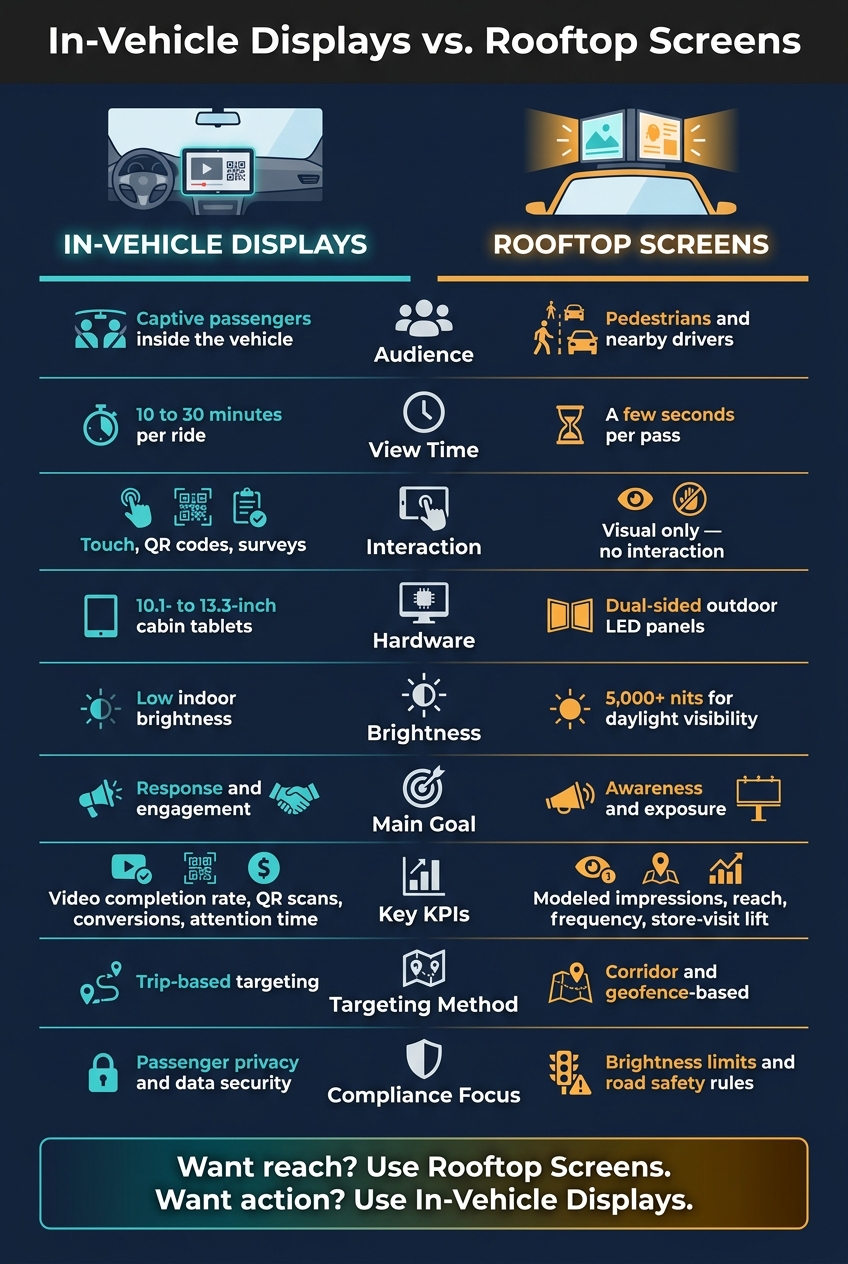
In-Vehicle Displays vs. Rooftop Screens: Side-by-Side Comparison
| Factor | In-Vehicle Displays | Rooftop Screens |
|---|---|---|
| Audience | Passengers in the vehicle | Pedestrians and nearby drivers |
| View Time | 10 to 30 minutes | A few seconds per pass |
| Interaction | Touch, QR codes, surveys | Visual only |
| Main Goal | Response and engagement | Awareness and exposure |
| Common KPIs | Completion rate, attention time, scans, conversions | Impressions, reach, frequency, store-visit lift |
| Targeting | Trip-based | Corridor and geofence-based |
| Hardware | 10.1- to 13.3-inch cabin tablets | Dual-sided outdoor LED panels |
| Brightness Need | Lower indoor brightness | Often 5,000+ nits for daylight use |
So when I compare these two formats, I don’t see two versions of the same ad tool. I see two separate media jobs: one built to get attention inside the ride, and one built to put a message in front of the street.
Each screen type supports a different campaign goal.
Inside the cabin, riders have uninterrupted attention. And that matters. You have enough time to show a QR code, run a short survey, drive app downloads, or play short-form video. Personalized content can also increase engagement.
This setup works best for direct-response goals, like getting someone to scan a code, sign up for a service, or interact with branded content.
Rooftop screens do a different job. They turn moving vehicles into street-level media.
The audience here is much broader: anyone who sees the vehicle on the street. That includes pedestrians, stopped drivers, and nearby foot traffic.
Use rooftop screens for awareness, local offers, and event promotion in high-traffic corridors.
The difference becomes a lot clearer when you look at both formats side by side.
| Factor | In-Vehicle Displays | Rooftop Screens |
|---|---|---|
| Audience | Captive passengers inside the cabin | Pedestrians and nearby drivers |
| Dwell Time | Longer ride windows | Seconds per pass-by |
| Interactivity | Touch, QR codes, surveys | None - visual only |
| Best Use Case | Direct response | Brand awareness, retail proximity, events |
| Message Length | Short video, QR-led offers, and interactive prompts | Brief, simple, glanceable creative |
Enroute View Media supports in-taxi touch-screen tablets and rooftop LED screens through one cloud platform with geo-time targeting, real-time reporting, and programmatic ad integration. That setup links street-level awareness with in-cabin engagement.
From there, the next question is how each format holds attention and measures response.
Different placements need different KPIs. So the definition of success changes too.
Passengers in taxis and rideshares are a captive audience. That gives in-vehicle screens more time to keep attention. And that extra dwell time makes space for sequential ads and interactive features like touch-based feedback, games, or QR code offers.
The best KPIs here are video completion rate, attention time, QR code scans, and conversions. Those numbers help show two things: whether people stayed with the message, and whether they did anything after seeing it.
Rooftop screens play a different game. They depend on scale and repetition. Since people can't interact with them, performance is measured another way. The main metrics are modeled impressions, route-based reach, frequency, and store-visit lift. That last metric helps connect rooftop ad exposure with foot traffic near a location.
Here’s how the two formats stack up on the metrics that matter most:
| Metric | In-Vehicle Displays | Rooftop Screens |
|---|---|---|
| Interaction | Touch, QR scans, feedback | Visual only |
| Common KPIs | Video completion rate, attention time, conversions | Modeled impressions, reach, frequency, store-visit lift |
| Primary Goal | Direct response and deep engagement | Brand awareness and citywide reach |
Those same metrics also shape targeting, reporting, and revenue planning.
These differences don't just change the screen format. They also affect how each option gets installed, who it reaches, and how it makes money.
In-vehicle displays are built for passengers, so privacy comes first. Passenger-facing systems should include clear privacy disclosures and use non-identifying analytics. If a setup uses a camera for audience measurement, kiosk-mode software can help stop tampering.
Rooftop LED screens play by a different set of rules. They sit on the outside of the vehicle, so they need to handle rain, heat, dust, and daily wear. That means weatherproofing is standard. They also need far more brightness than in-cabin tablets so people can still see them in daylight.
Compliance looks different here too. Rooftop units must follow local U.S. digital signage rules. In many cases, that includes automatic brightness dimming at night to cut distraction and meet city ordinances.
Once the hardware is in place, the next split shows up in targeting and measurement.
In-vehicle screens are usually the better fit for trip-based targeting. Rooftop screens, by contrast, are a better match for corridor and geofence campaigns.
Enroute View Media's cloud-based platform supports both formats with GPS-based geo-time targeting, real-time analytics, and programmatic ad integration. That gives advertisers a way to run automated, dynamic campaigns across either format.
And that targeting gap flows straight into pricing and inventory.
| Feature | In-Vehicle Displays | Rooftop Screens |
|---|---|---|
| Pricing Basis | Impression, trip, or engagement | Rotating ad slots, route-based packages, or share-of-voice deals |
| Targeting Logic | Trip-based targeting | Corridor and geofence campaigns |
| Reporting | Clicks, ride duration, conversions | Estimated impressions and reach |
| Compliance Focus | Passenger privacy and data security | Brightness levels and road safety |
| Monetization Window | Active passenger trips only | During vehicle movement |
That leads to the final decision: match the format to the campaign goal.
The differences in deployment and measurement make the choice pretty straightforward: pick the format based on the result you want most - reach or response.
Rooftop screens are built for street-level awareness. They put your message in front of people across busy city routes and maximize visibility at street level. If your goal is brand awareness or driving foot traffic to a nearby store or venue, rooftop LED screens are the better fit.
In-vehicle displays are built for action. Riders have more time to look, think, and respond. That makes in-vehicle tablets a stronger option for app installs, lead capture, and QR code scans.
If you're running a full-funnel campaign, using both formats together often makes the most sense. Rooftop screens handle broad citywide exposure, while in-vehicle tablets give passengers a clear next step. Enroute View Media supports both formats in one coordinated system.
Here’s a quick way to line up the format with your goal:
| Campaign Goal | Best Format |
|---|---|
| Brand awareness, citywide visibility | Rooftop LED screens |
| App installs, lead capture, interactivity | In-vehicle displays |
| Foot traffic to a nearby location | Rooftop LED screens |
| Full-funnel awareness + conversion | Blended approach |
It comes down to what you want to achieve and who you want to reach.
Rooftop LED screens work best when your goal is broad visibility and citywide brand awareness. They put your message out in the open, where lots of people can see it as taxis move through busy streets.
In-taxi tablets are a better fit when you want more passenger engagement. They give you room for interactive content, longer messages, and a more focused in-ride experience.
If you want both, Enroute View Media supports both formats through one platform, pairing outside reach with more targeted in-vehicle engagement.
Yes. You can use rooftop LED screens and in-vehicle LCD tablets as part of one ad strategy.
Enroute View Media supports both, so you can manage and sync content across exterior and interior displays. That means you can reach location-based audiences outside the vehicle, while also speaking directly to passengers with interactive in-taxi content during the ride.
Measure in-vehicle displays and rooftop LED screens in the same reporting system. See how many people were exposed to your ads, then check live campaign stats as the campaign runs.
Use playback verification with timestamps, GPS-based location, and duration. Count multiple views during a single ride as separate impressions. You can also monitor device status, screenshots, offline alerts, and screen uptime to track delivery and support revenue calculations.
Need pricing details?
EnrouteViewMedia is a Canadian technology company based in Edmonton, Alberta, Canada. The company was founded by a group of media entrepreneurs and engineering executives. Our mission is developing leading-edge digital media display technologies for taxicab rooftops and taxicab interiors advertising market. Through our easy to use ad delivery and management system, we assist our clients in reaching their customers with targeted exposure. EnRouteViewMedia continuously strives to be the global leader in digital geo-time targeted advertising media systems for modern taxi fleets.