
How location, motion sensors, and vehicle-grade hardware enable context-aware ads with measurement and privacy controls.
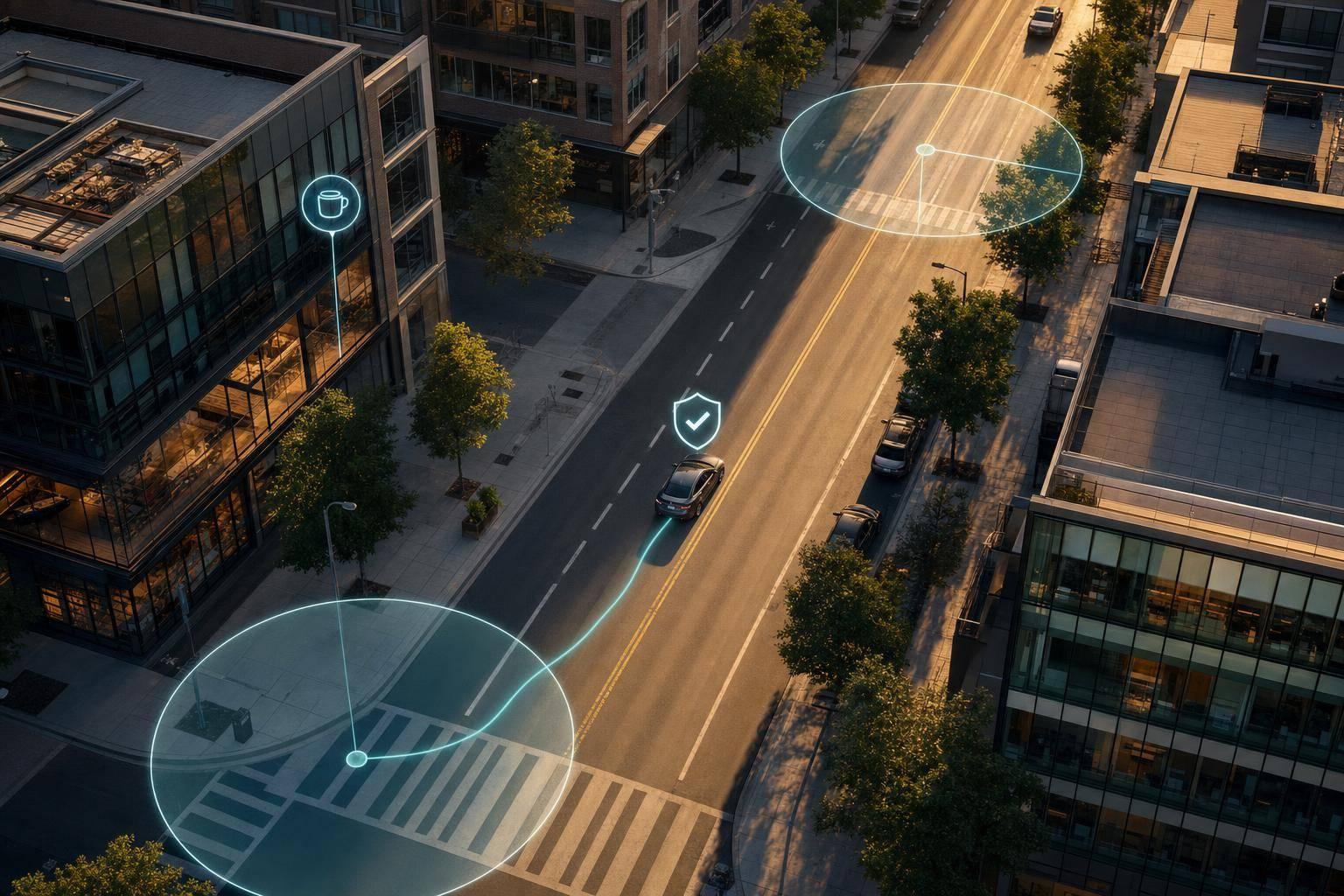
Vehicle ads can change by place, time, motion, and viewer presence. That means a screen can run one ad near an airport, another near a store, and wait to play until a passenger is in the car or the vehicle hits a trigger point.
If I had to boil this down, here’s what matters most:
A few numbers stand out:
In plain English: this is not just “ads on cars.” It’s a rule-based media system that uses location data and sensor inputs to decide where an ad can show and when it should show.
That’s the core idea I’d want you to know before getting into the details.
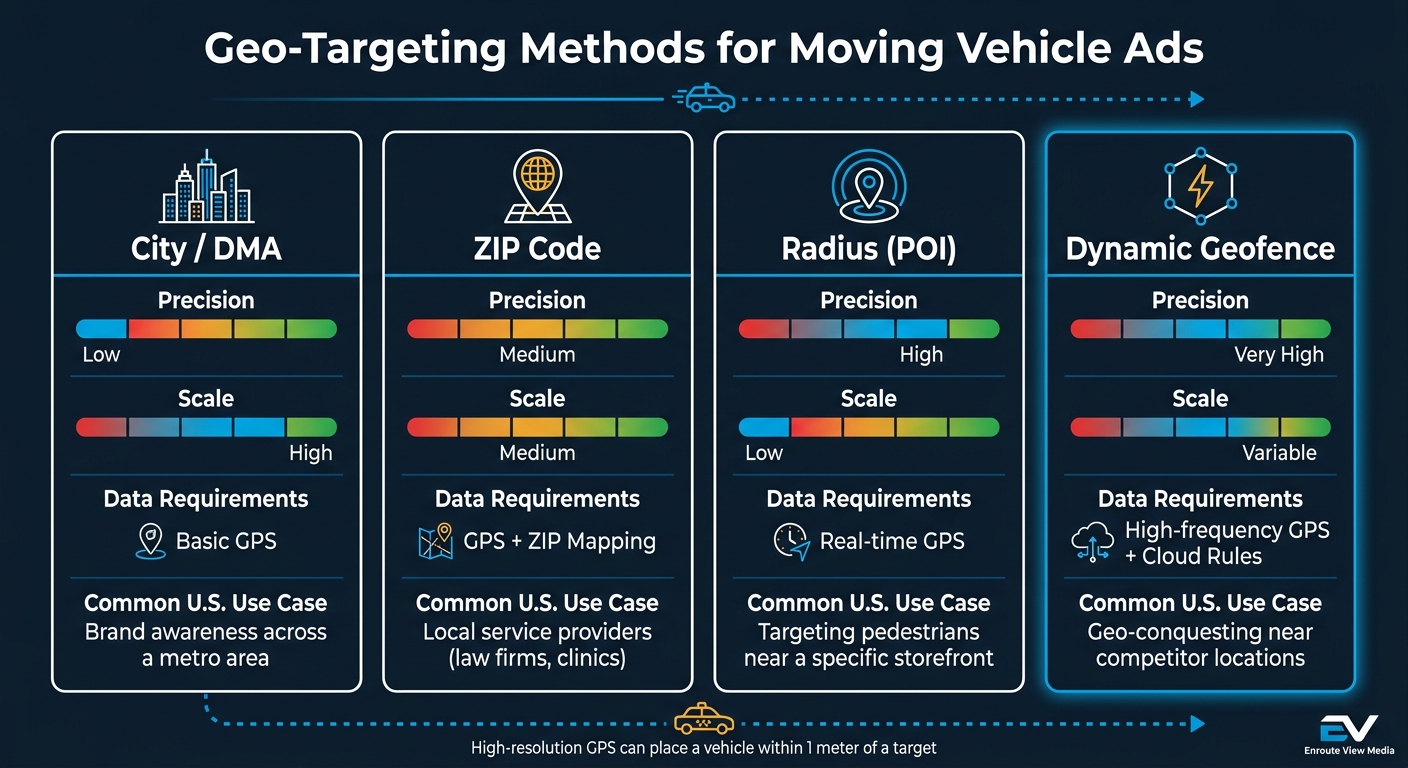
Geo-Targeting Methods for Vehicle Ads: Precision vs. Scale
Geo-targeting decides where ads can run. Motion sensing decides when the screen should change. That split matters a lot in vehicle-based media.
With fixed DOOH, the screen stays put and the audience moves past it. With screens on cars or taxis, the opposite happens: the screen moves through the audience. So the system has to track location all the time and pick ads based on live coordinates.
In a fleet setup, geo-targeting often uses virtual boundaries around POIs like malls, airports, or competitor locations. When a vehicle enters that boundary, the ad plays. Simple idea, but the setup can get more exact depending on how closely the campaign needs to follow the vehicle’s route.
| Method | Precision | Scale | Data Requirements | Common U.S. Use Case |
|---|---|---|---|---|
| City/DMA | Low | High | Basic GPS | Brand awareness across a metro area |
| ZIP Code | Medium | Medium | GPS + ZIP mapping | Local service providers such as law firms and clinics |
| Radius (POI) | High | Low | Real-time GPS | Targeting pedestrians near a specific storefront |
| Dynamic Geofence | Very High | Variable | High-frequency GPS + cloud rules | Geo-conquesting near competitor locations |
Dynamic geofences make the most sense when campaigns need route-level rules that can change in real time. But those rules only work if location data, connectivity, and the screen hardware stay aligned. If one part lags, the ad can miss the moment.
Precise location by itself isn’t enough. The screen also has to stay online and stay readable while the vehicle is on the road. For that to happen, three parts need to work together:
High-resolution GPS can place a vehicle within 1 meter of a target. That level of accuracy is what makes tight geofences workable.
Connectivity keeps the ad server and the screen synced. Most vehicle ad hardware runs on 4G LTE or 5G and uses about 1–2 GB of data per month per device.
Then there’s the screen itself. It has to handle heat, vibration, and full daylight without washing out. For rooftop LED displays, brightness is a big deal. Outdoor units need to exceed 4,000 nits to stay visible in direct sunlight, and the best-performing units can go past 5,000 nits.
LCD panels usually top out around 2,000 nits. They can also run into heat-induced blotching, where overheated liquid crystals cause black blotches on the display. LED panels, by contrast, are better suited for this kind of use. Units rated for about 100,000 hours of operation also handle the temperature swings and vibration of daily city driving.
Power control matters too. If battery voltage drops below 12 volts, the system shuts off the LED display. That protects the vehicle from getting drained just to keep the ad running.
In-taxi tablets follow the same basic logic. They use industrial-grade Android hardware, auto-start with the vehicle ignition, include anti-vibration mounts, and run in kiosk mode so passengers can’t tamper with the device.
Once the hardware and data layers are in place, a control platform turns location and motion signals into live playback and reporting. Enroute View Media sits in that control layer for rooftop LED screens, in-taxi tablets, and cloud-based campaign management.
Its rooftop units are dual-sided LED screens made for outdoor brightness and weather resistance. Its in-taxi tablets use Android-based touchscreens with front-facing cameras for anonymized audience detection.
DigiStream View handles geo-time rules, remote screen management, programmatic integration, and playback verification with logged timestamps and GPS coordinates. It is white-labeled for fleet owners and startups.
Geo-targeting decides where a screen can run. Motion sensing decides when the screen should switch. The system shows the right ad only when location, motion, and passenger presence line up. So yes, a vehicle can be inside a geofence and still wait to play or rotate creative until the sensor rules say it should.
Different sensors do different jobs, and the setup changes based on whether the screen points outward or inward.
For rooftop LED screens, the key inputs are motion/gravity sensors, light sensors, and voltage monitors. Motion and gravity sensors control screen orientation plus play/pause rules. Light sensors adjust brightness for daytime versus nighttime use. Voltage sensors help protect the battery by shutting the screen down when power drops.
For in-vehicle tablets, front-facing cameras add more context. Anonymized video analytics (AVA) can detect passenger presence, estimate age range, and estimate demographic signals in real time without storing identifiable data. That means the screen can stay off when the seat is empty and turn on when a passenger gets in. It can also swap creative during the ride based on detected demographics.
| Sensor Type | Hardware Complexity | Data Depth | Deployment Fit | Operational Consideration |
|---|---|---|---|---|
| Location Signal | Low | Location, speed, route | Rooftop & in-vehicle | Needs reliable GPS reception |
| Camera (AVA) | High | Age, gender, presence | In-vehicle (headrest) | Requires privacy disclaimers and anonymized analytics |
| Motion / Gravity | Medium | Orientation, movement | Rooftop & in-vehicle | Handles screen orientation and play/pause rules |
| Light Sensor | Low | Ambient light levels | Rooftop LED | Auto-adjusts brightness for day/night conditions |
| Voltage Sensor | Low | Battery health/status | All vehicle screens | Triggers auto-shutdown to protect vehicle battery |
| Bluetooth / NFC / QR | Medium | Interaction/action | Rooftop & in-vehicle | Best for drive-to-store or immediate couponing |
On their own, these signals are just inputs. The screen only gets smart when those inputs are tied to playback rules.
Once the system reads the signals, the CMS can trigger the right creative. This is where things click: geofence conditions get tied to motion signals through simple rule-based logic inside a cloud-based CMS. For example, a campaign might show retail creative only when the vehicle enters a store geofence and the system detects passenger presence. If one condition fails, the ad does not run.
Creative can also change by route, area, or time of day, so the campaign updates on its own as the vehicle moves through different zones.
These triggers then connect straight to campaign setup, measurement, and optimization.
Once the geo and motion rules are set, the CMS turns them into ad delivery and reporting logic. Start with the markets you want to reach, then place geofences around airports, shopping districts, and competitor locations. After that, use dayparting to control when ads run. A breakfast campaign has no business showing at 10:00 p.m., and a happy hour offer is wasted before noon.
Next come the motion and audience triggers. For instance, in-vehicle tablet ads can activate only when a passenger is detected, or fire when the vehicle starts moving or comes to a stop. Then match the format to the screen. Rooftop LEDs work best with short loops, while in-vehicle tablets can handle interactive units. Enroute View Media manages this with a cloud-based CMS that can sync updated creative to vehicle devices within minutes.
Track the inputs the system can actually control: exposure, triggers, route delivery, and footfall lift.
| Metric | Data Source | What It Shows | How It Supports Optimization |
|---|---|---|---|
| Impressions | GPS & Camera Sensors | Total number of times an ad was exposed to an audience | Helps calculate CPM and overall reach across different routes |
| Dwell Time | Trip Duration Data | The duration an ad was active and visible during a trip | Used to adjust creative length and content pacing |
| Motion-Trigger Rate | Motion/Gravity Sensors | Frequency of ads triggered by specific vehicle movements or stops | Identifies high-activity zones for trigger refinement |
| Route-Level Delivery | Real-time GPS Tracking | Heatmaps of where ads are being played most frequently | Reveals dead zones where geofences should be removed |
| Audience Concentration | Front-facing Camera | Anonymized age and gender data of the captive audience | Allows shifting budget toward routes that match target personas |
| Footfall Lift | Geolocation & Mobile Data | Correlation between ad exposure and physical store visits | Connects vehicle ad spend to retail ROI and conversions |
Footfall lift is where things start to click for advertisers. It connects ad exposure to store visits. If GPS data from exposed audiences lines up with an increase in physical visits, the campaign starts looking less like awareness media and more like a performance channel.
Those numbers then feed live budget decisions.
Live dashboards let teams move spend toward the routes, geofences, and dayparts that are working, while pulling weak creative out of rotation fast. That kind of feedback loop matters. If one route drives stronger footfall lift and another barely moves the needle, the budget should follow the better route.
Uptime tracking adds one more check. It helps make sure spend stays tied to active inventory, not screens that are offline or unavailable.
When campaigns start using live GPS, sensors, and audience signals, privacy stops being a legal box to check later. It becomes part of day-to-day delivery. Geo-motion campaigns can use GPS, sensor, camera, and engagement data. And each one needs its own handling under U.S. privacy rules. The same data that helps sharpen targeting can also create compliance risk.
The main rule is data minimization: collect only the data you need. For audience detection, that means processing age and gender estimates locally and discarding raw footage right away. Enroute View Media states that its system does not store identifying data. It also calls for a 10-second privacy notice when a new face is detected and for analysis to be turned off for minors.
For campaigns tied to Non-Emergency Medical Transportation (NEMT) fleets, HIPAA compliance adds one more layer. In plain terms, that means encrypted data transmission, role-based access controls, and secure dashboards for any sensitive information.
| Data Type | Privacy Risk | Typical Compliance Considerations | Recommended Handling |
|---|---|---|---|
| Precise GPS Location | High | Sensitive if tied to individual trips | Use for real-time triggering; aggregate for long-term reporting to prevent route reconstruction |
| Camera-Based Demographics | High | Requires transparency and must exclude minors | Process locally in real time; do not store or transmit raw footage |
| Motion/Sensor Data | Low | General data security | Use for timing only; encrypt in transit |
| Passenger Engagement (Touch) | Medium | Interaction logs can reveal preferences | Anonymize logs; avoid linking to individuals |
| Device/Phone IDs | High | Highly invasive | Avoid collection; use contextual triggers instead |
On the hardware side, screens should be locked in kiosk mode so passengers can't get into the underlying system. An intelligent power monitor that shuts the device down when the vehicle is off also helps stop unnecessary data collection during idle periods.
In vehicle media, performance and compliance move together. Geo-targeting puts the right message in the right place. Motion sensing improves timing by triggering delivery at the right moment. Put those together, and the vehicle becomes a context-aware ad channel instead of a passive billboard.
Reliable delivery depends on LTE or 5G connectivity, vehicle-rated hardware, and real-time reporting. Analytics help teams see what's working as it happens. Live dashboards make it easier to shift budget toward the geofences and routes that are driving results. Privacy-aware operations help keep the channel usable, scalable, and effective in the U.S.
Geo-targeting uses GPS-based geofences and time-fencing so ads run only when a vehicle is inside a chosen area during set time windows.
Motion triggers then rely on real-time passenger-detection events to start, loop, or swap in the geo-relevant ad on the screen.
Vehicle ad campaigns need in-vehicle display hardware. That usually means dual-sided rooftop LED screens, in-taxi touchscreen LCD/Android tablets, or both, along with an Android-based device running Enroute View Media’s app.
To support motion, geo, and audience detection, the setup should also include:
If you're using rooftop screens, you'll also need vehicle power and a compatible LED topper setup.
GPS is used only for location-based reporting and targeting.
Front-facing in-car cameras detect audiences to build anonymized, non-identifying demographic data, such as age, gender, and whether passengers are present. The system does not store footage or share it outside the vehicle.
When a new face is detected, a GDPR-compliant privacy disclaimer appears for 10 seconds. The system also avoids identifiers like phone IDs, and the data is used only for internal reporting.
Need pricing details?
EnrouteViewMedia is a Canadian technology company based in Edmonton, Alberta, Canada. The company was founded by a group of media entrepreneurs and engineering executives. Our mission is developing leading-edge digital media display technologies for taxicab rooftops and taxicab interiors advertising market. Through our easy to use ad delivery and management system, we assist our clients in reaching their customers with targeted exposure. EnRouteViewMedia continuously strives to be the global leader in digital geo-time targeted advertising media systems for modern taxi fleets.