
Estimate ride exposures, campaign cost, and cost per exposure for rideshare ads across screens, wraps, and seatback placements.
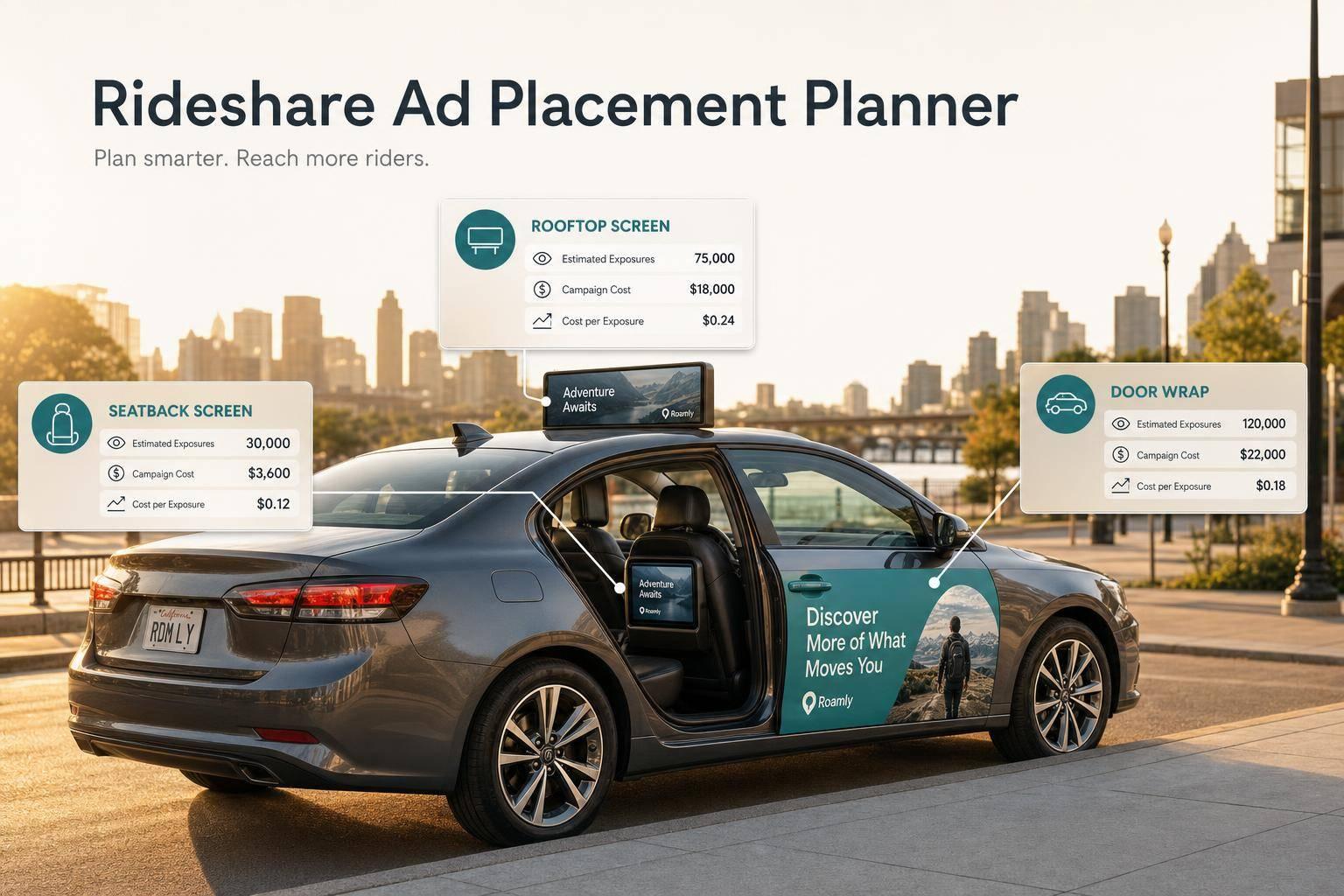
Planning ads in rideshare vehicles can get messy fast when you’re juggling fleet size, ride volume, placement formats, and daily costs. A Rideshare Ad Placement Planner helps simplify that process by turning a few core inputs into useful campaign numbers you can act on quickly.
Whether you're comparing an interior screen to a seatback card or weighing the visibility of an exterior wrap, this calculator shows the estimated total ride exposures, total spend, and cost per exposure for your campaign. That makes it easier to see how far your media budget may go before you pitch, buy, or revise a plan.
A strong Rideshare Ad Placement Planner is especially useful for agencies, local advertisers, and brand teams testing mobile media channels. Instead of relying on rough assumptions, you can model a campaign with cleaner numbers and spot cost-effective options faster. It’s also a practical way to catch unrealistic inputs early, since the tool highlights invalid values like negative costs or durations. If you need a quick, reliable view of rideshare advertising efficiency, this kind of planning tool keeps the math simple and the decision-making sharper.
It uses a straightforward planning formula: number of vehicles multiplied by average daily rides per vehicle multiplied by campaign duration. That gives you an estimated total number of ride exposures over the full campaign. It’s a useful directional number for planning, though real-world exposure can vary based on route mix, rider turnover, and how consistently ads are displayed.
Cost per exposure helps you understand how efficiently your budget is working. The tool divides total campaign cost by total ride exposures, giving you a simple unit cost for each estimated exposure. Lower figures generally suggest stronger efficiency, but the best choice still depends on your audience, creative quality, market, and placement visibility.
The tool is designed to catch invalid values that would throw off the estimate. Negative numbers, blank required fields, or values that create impossible calculations are flagged with clear guidance. For example, fleet size, ride volume, campaign duration, and cost should all be zero or higher, and cost per exposure can only be calculated when total exposures are greater than zero.
Need pricing details?
EnrouteViewMedia is a Canadian technology company based in Edmonton, Alberta, Canada. The company was founded by a group of media entrepreneurs and engineering executives. Our mission is developing leading-edge digital media display technologies for taxicab rooftops and taxicab interiors advertising market. Through our easy to use ad delivery and management system, we assist our clients in reaching their customers with targeted exposure. EnRouteViewMedia continuously strives to be the global leader in digital geo-time targeted advertising media systems for modern taxi fleets.